How it works

From imagination to coloring page — in seconds.

Colorín has one job: turn a simple idea — spoken out loud or tapped together with emojis — into a beautiful, print-ready coloring page. Here's exactly what happens at each step, and where AI fits in.

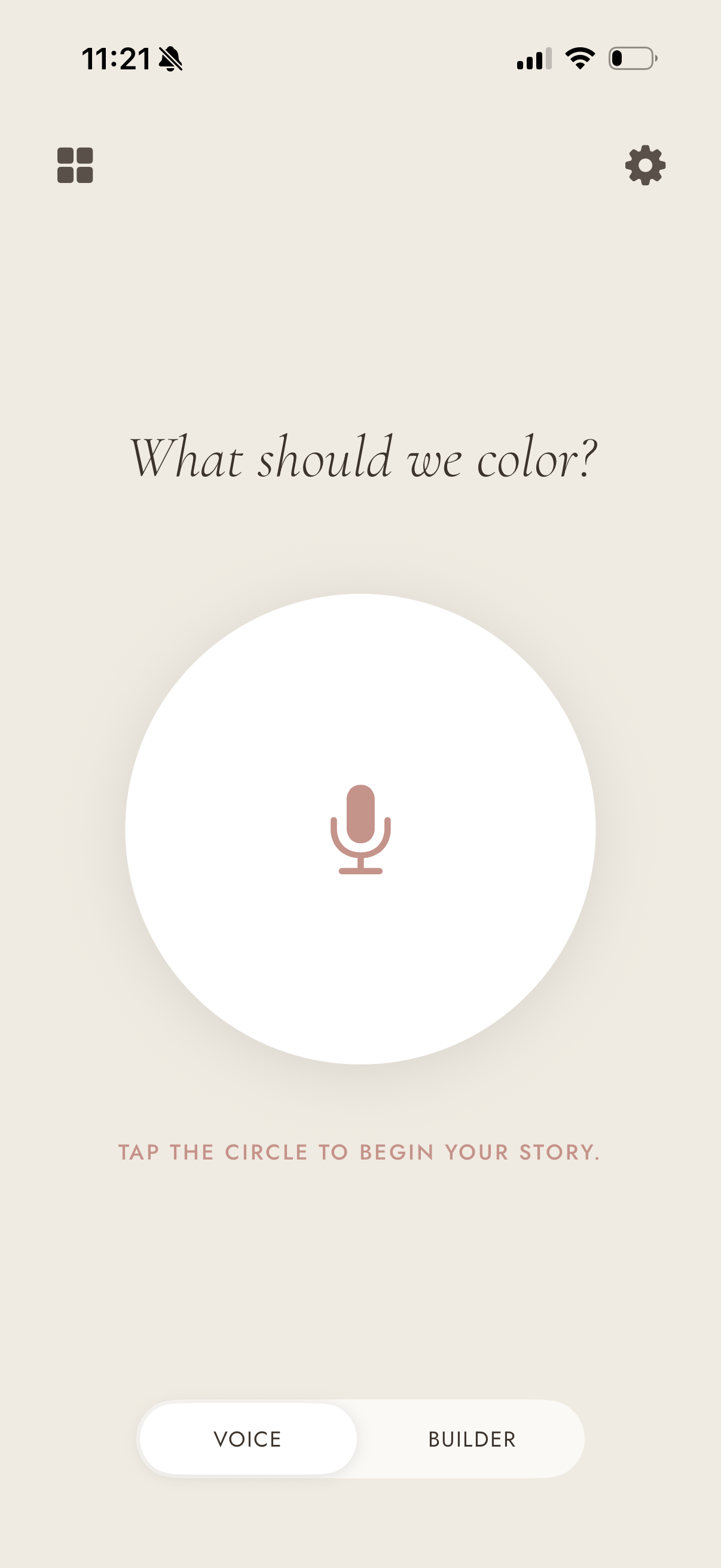
Voice input screen showing microphone tap interface
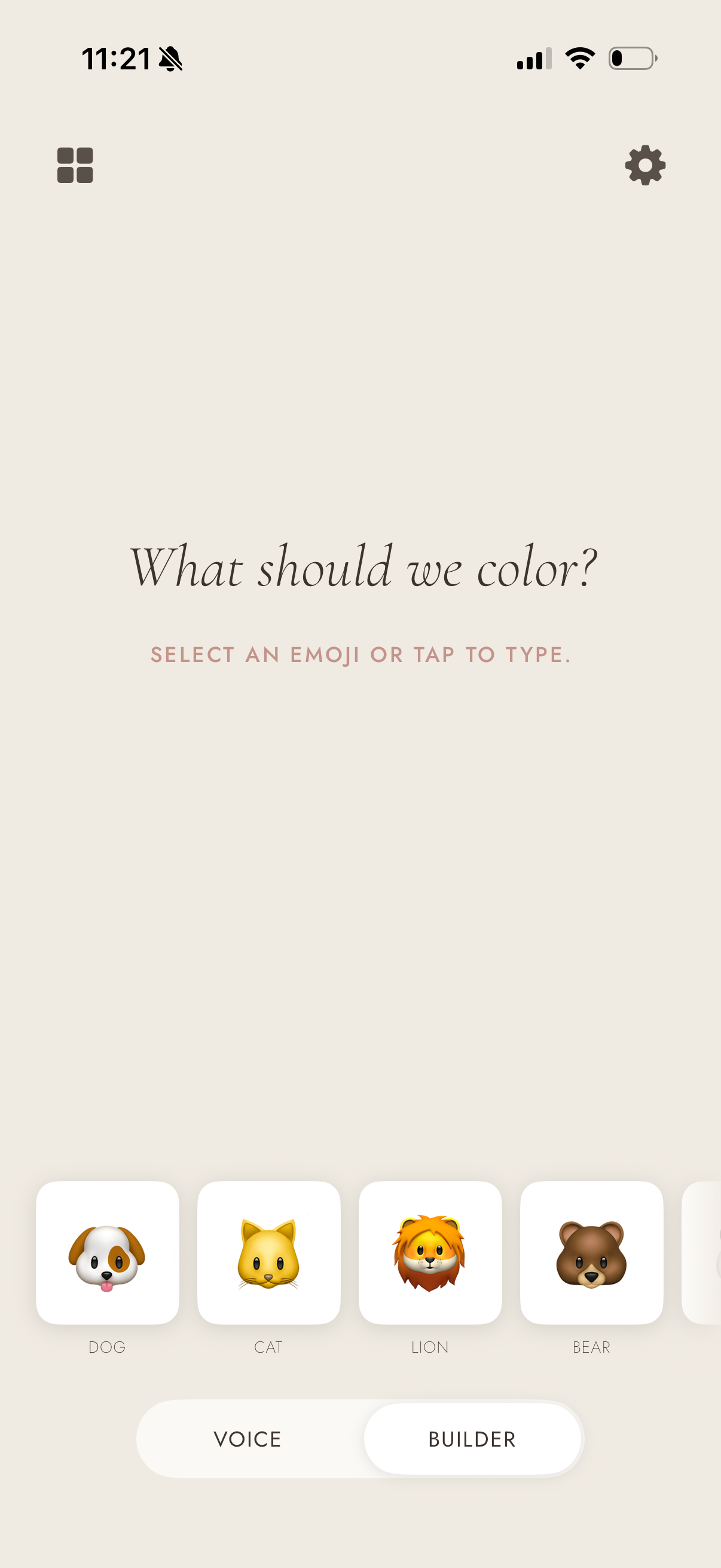
Emoji builder screen for constructing a story prompt
Step 1

Tell us a story

You have two ways to start — whichever feels right for your child in the moment.

🎙️

Voice

Tap the circle and speak. Your device's built-in speech recognition — the same technology that powers Siri — listens and converts your words to text in real time.

✦ Runs entirely on your phone — audio is never recorded or sent anywhere

Emoji Builder

Tap a turtle, a castle, a rocket — whatever sparks your child's imagination. Colorín uses a small AI model built into your iPhone to turn those emoji picks into a one-sentence story.

✦ Runs on your device — no internet connection required
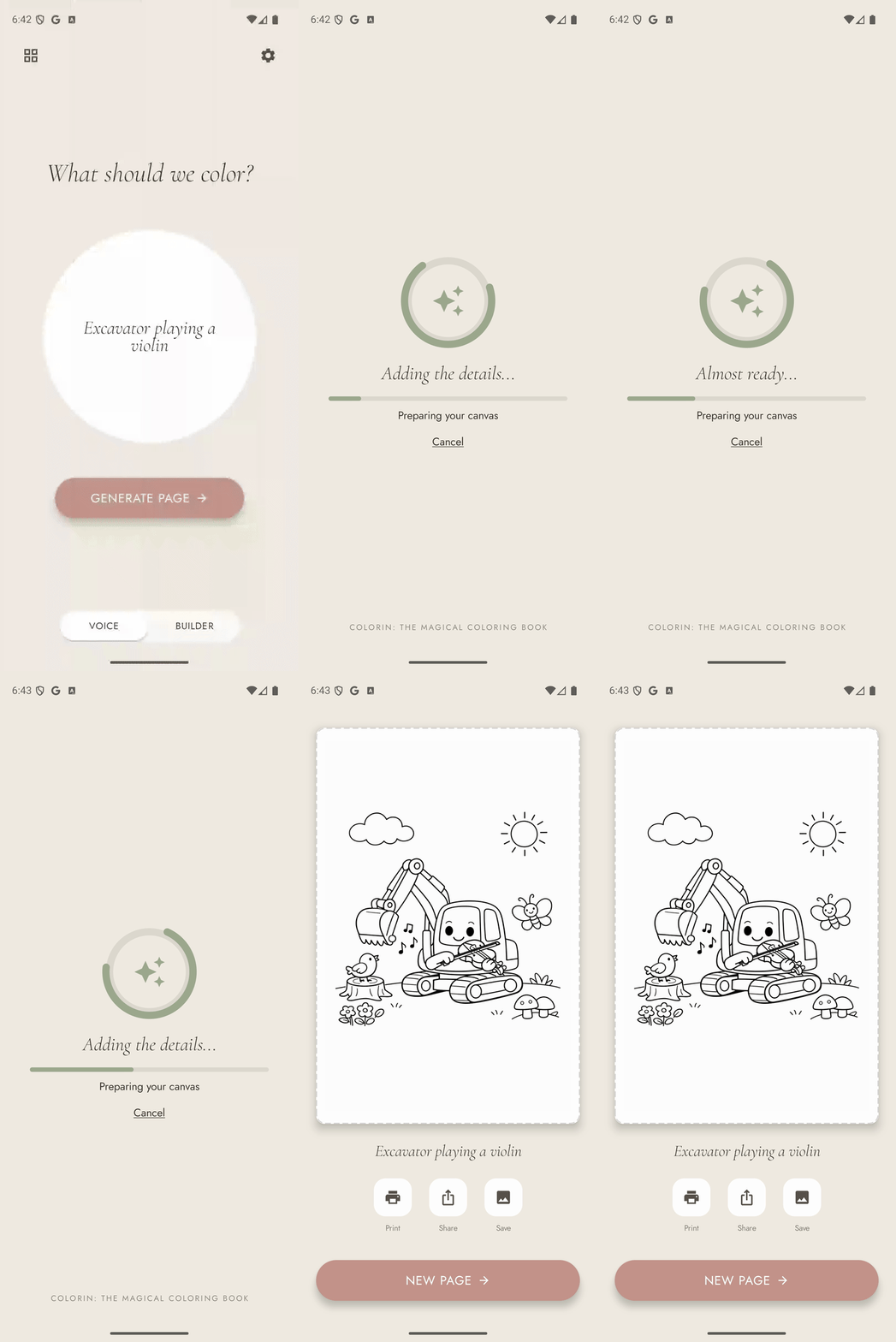
Coloring page being generated in real time
Step 2

We generate the coloring page

Once you have a prompt you love, tap Generate Page. The text of your story — for example, "A turtle taking a nap on a sunny rock" — is sent securely to our servers, where it becomes the instruction for an AI image model. The result is a high-contrast black-and-white line drawing designed specifically for coloring.
Takes 15–30 seconds. While you wait, your prompt travels only over a secure, encrypted connection. Our servers run safety checks before and after generation — more on that below.
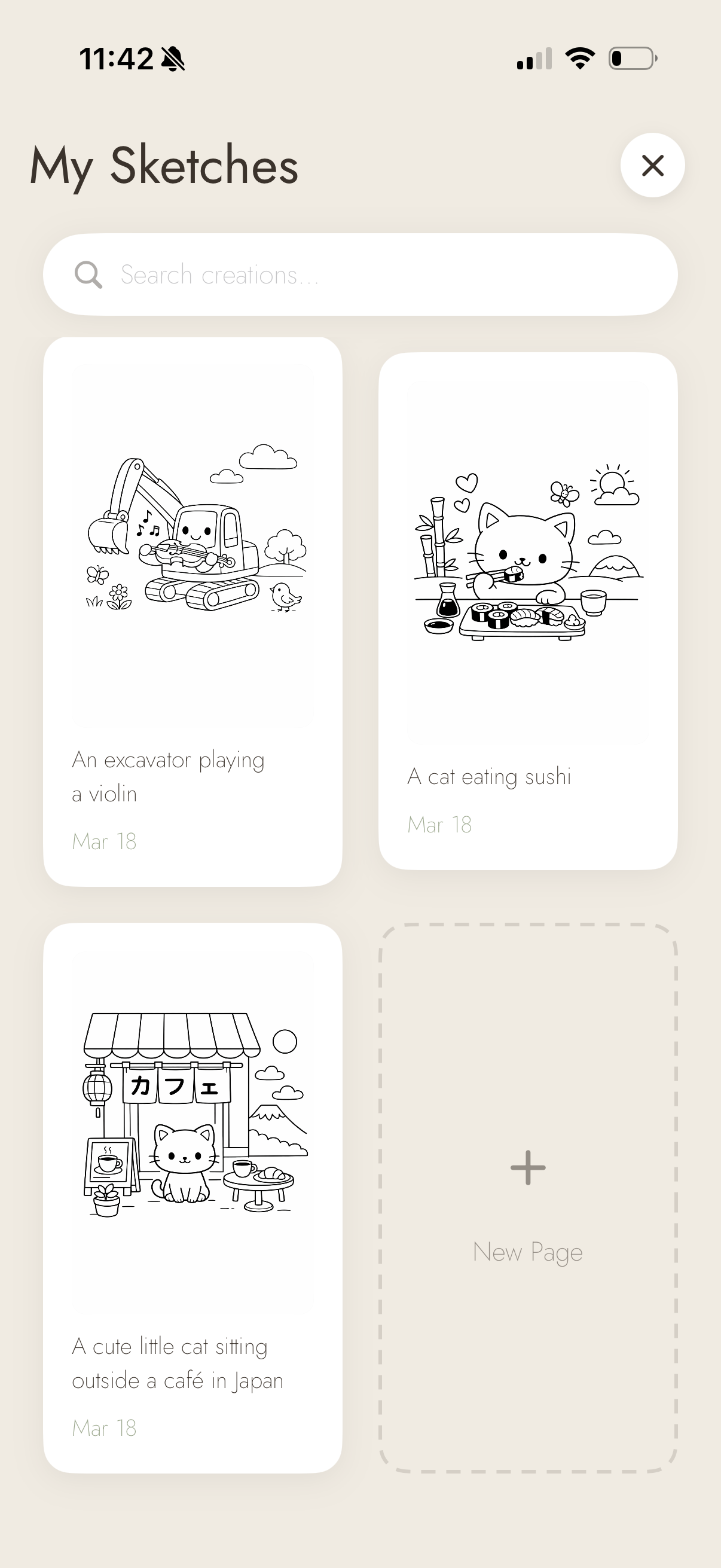
Library screen showing saved coloring pages
Step 3

Your page is saved to your library

Once the image is ready, it's stored securely in the cloud so you can access it across all your devices. A copy also saves directly to your phone, so your library is always available — even without internet.
Pages are stored under your unique account ID. Only you can access your library.
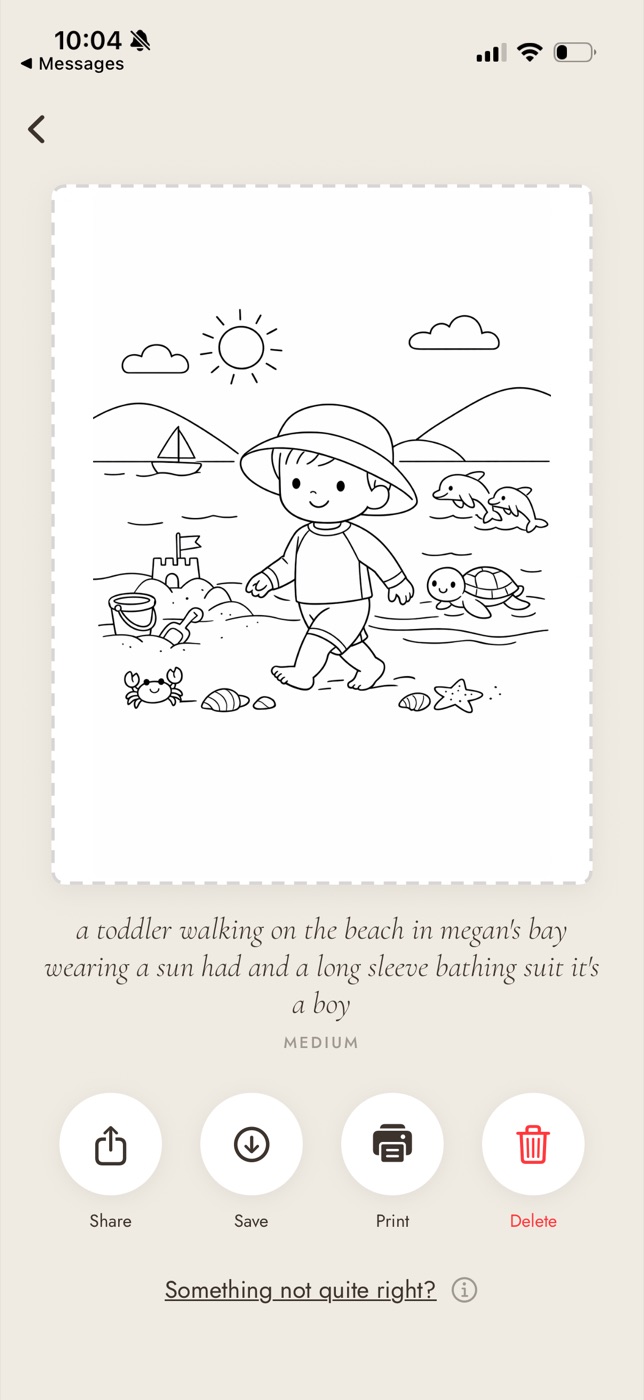
A finished coloring page in the Colorín app with Share, Save, Print, and Delete buttons
Step 4

Print, share, or save

Your coloring page is yours to do with as you please.

  • Print directly from the app to any AirPrint printer
  • Save to your Photos or Files app
  • Share with anyone via the standard share sheet

Every generation request passes through a pipeline designed around one priority: making sure what reaches your child is appropriate. Here's what happens the moment you tap Generate Page.

01

Your prompt arrives securely

The sentence you created is sent to our servers over an encrypted connection. Your child's idea never goes directly to any AI service — it passes through us first.

02

Safety check — the words

Before anything is generated, we scan your prompt against a list of words that aren't appropriate for children. If anything is flagged, we stop here, let you know, and suggest trying a different idea. No page is generated and no credit is used.

✦ Safety layer 1 of 3
03

Safety check — AI content review

An AI-powered content review catches anything the word list might miss — context, intent, phrasing. Both checks must pass before we proceed.

✦ Safety layer 2 of 3
04

Image generation

Your prompt is passed to an AI image model (made by OpenAI) with specific instructions to produce clean black-and-white line art suitable for young children. This is where the coloring page is created.

05

Safety check — the image itself

Once the image is generated, we run a final AI safety check on the image — not just the words. This last-resort safeguard confirms what was created is appropriate before it ever reaches your screen.

✦ Safety layer 3 of 3
06

Saved and delivered

Your image is stored in a private, secure cloud. Only you can access your own images. Once saved, a confirmation is sent to the app, your image downloads, and it's ready to color.

Your privacy

Simply explained

This is plain-English framing, not a substitute for our formal Privacy Policy.

🎙️

We don't store your voice

Voice input is converted to text on your device by Apple's speech framework. No audio file is ever created or transmitted to us or anyone else.

✍️

Your prompt is used only to generate your image

The sentence you create is sent to OpenAI solely to produce the coloring page. OpenAI's API usage policies prohibit them from using API inputs to train their models.

Sign in with Apple keeps your identity private

We use Apple's sign-in system, which lets you hide your email address if you prefer. We never see your Apple ID password.

🔒

Your images live in your account

Pages are stored under your unique account ID. Only you can access your library — no other Colorín users can see your pages, and neither can we in normal operation.

🐛

We use crash reporting

If the app runs into a problem, we collect anonymous technical information — what went wrong, on what screen — via Firebase Crashlytics. This contains no personal information and no content from your coloring pages.

🚫

We never sell your data

We don't share your prompts, your images, or your account information with advertisers or third parties beyond the infrastructure that powers the app: Apple, Google Firebase, OpenAI, and RevenueCat (which handles purchases).

Questions about privacy or how Colorín works?
Email us at support@colorin.app